
 admin
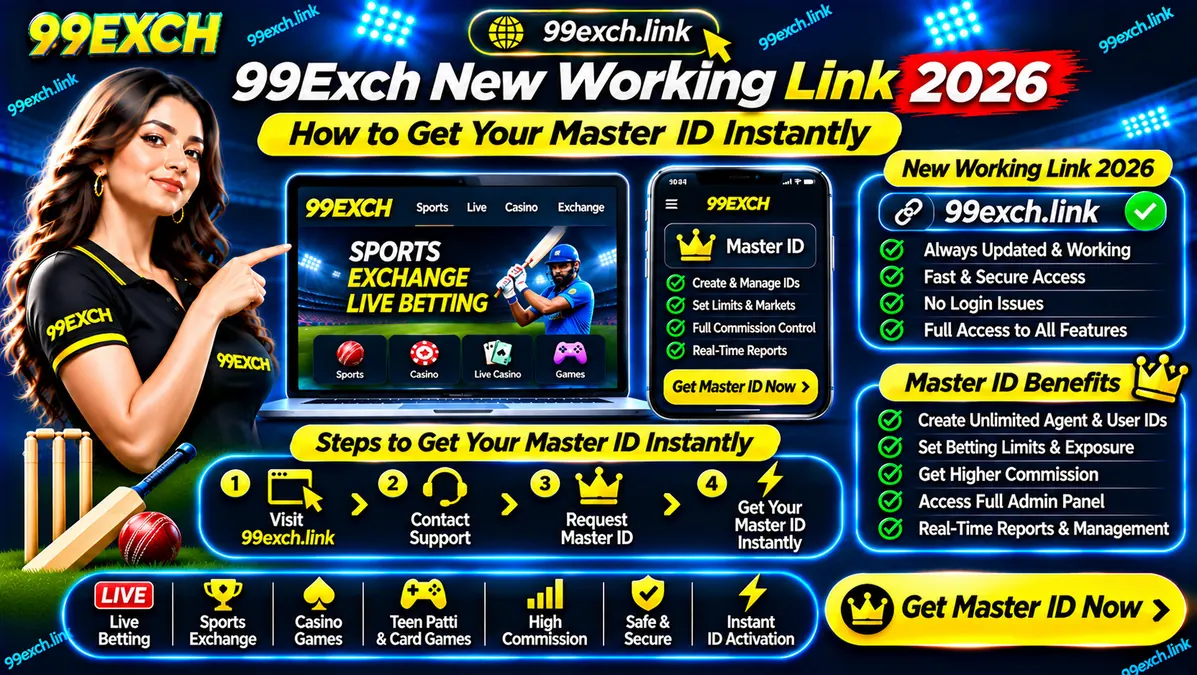
Are you tired of clicking dead URLs when trying to log into your account? We know exactly how frustrating it is. You are ready for a big match, you try to open your dashboard, and boom—the page will not load. Site addresses in this industry change constantly, and old bookmarks stop working fast.
If you are spinning your wheels looking for the official 99exch new working link for 2026, or if you need to know exactly how to set up a secure account from scratch, you are in the right spot. We are going to cut through the noise and show you how to get your Master ID securely and quickly.
Why Does the 99exchange Link Keep Changing?
Let us clear this up first. You are not doing anything wrong. Telecom providers and regional network blocks frequently force platforms like 99exchange to migrate to new domains to keep their services accessible. This is totally normal.
The problem? Searching Google for a new link often leads you to parked domains or fake phishing sites trying to steal your login credentials. Never just click the first random link you see on a search engine. You always need the verified, current panel address directly from your trusted desk [2].
How to Create a 99exch Account (2026 Guide)
Forget filling out massive web forms. The 99exch account setup is built around WhatsApp for speed and security. Here is the step-by-step process that actually works this year.
Step 1: Request Your Master ID via WhatsApp
You do not sign up on a random homepage. You need to contact an official support desk. Click a verified WhatsApp link from your provider. They will ask you to confirm your name and verify that you are at least 18 years old [1].
Pro-Tip: If you already have a betting ID with another agent, tell the desk upfront. Trying to juggle multiple IDs with different agents is the number one reason people lose track of their deposits.
Step 2: Get Your 99exch Login Credentials
Once verified, the desk will reply on WhatsApp with three vital things:
- Your unique Username.
- A temporary password.
- The exact, active 99exch working link for today.
Save this message. It is your proof of which agent issued your ID.
Step 3: Log In and Change Your Password Immediately
Open the provided link. The first time you use your 99exch login, the system will prompt you to change your temporary password [1]. Pick something secure that you do not use for your bank or email. If the panel gives you a "transaction password" for withdrawals, write it down and keep it safe—treat it like a UPI PIN.
Step 4: Make Your First Deposit
When you are ready to add funds, message the WhatsApp desk again. They will give you the current, active payment details (usually UPI, NetBanking, or a wallet). Send the money from an account in your own name, take a screenshot of the receipt, and send it to the desk. Your points will appear in your 99exchange balance moments later.
Common Login Issues (And How to Fix Them)
Even with the right link, things can glitch. Here is what to do if you hit a wall:
- Wrong Password Lockouts: Usernames are case-sensitive. Watch out for your phone's autocorrect adding a random space after your username [1]. If you get locked out for too many wrong tries, just ping the WhatsApp desk for a reset.
- Expired Temporary Passwords: If you wait a few days to log in after getting your ID, your temporary password might expire. Again, a quick WhatsApp message fixes this.
- Blank Screens: If the active link times out on your mobile data but works on Wi-Fi, your network provider is blocking it. You might need to adjust your connection settings or clear your browser cache [2].
Ready to Get Started?
Stop wasting time with dead links and fake sites. Message the official desk now to grab your secure Master ID, claim your starting bonus, and get today's verified working link.
Frequently Asked Questions
1. What is the current 99exch working link for 2026?
Because URLs change frequently to avoid network blocks, the only safe way to get the current working link is to request it directly from the official WhatsApp support desk.
2. Can I set up a 99exchange account without WhatsApp?
No, the most secure and official way to verify your age, receive your Master ID, and process fast deposits/withdrawals is through the verified WhatsApp desk.
3. Why is my 99exch login not working?
It is usually due to a typed error (usernames are case-sensitive), an expired temporary password, or using an outdated panel link. Contact support for a quick password reset or updated link.
4. How fast are withdrawals processed?
Once you request a withdrawal through the WhatsApp desk and provide your verified bank details, funds are typically transferred to your account within a few hours, depending on the banking method chosen.

0 Comments